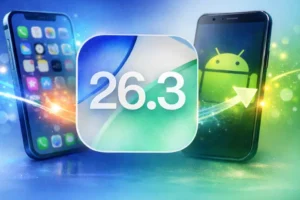
Apple has rolled out iOS 26.3, introducing a notable update that simplifies the process of switching from an iPhone to Android devices, alongside improvements in security, notifications, and system performance.
The software update was officially released on February 11, 2026, as part of Apple’s routine upgrade cycle, arriving about two months after iOS 26.2. It is available as a free download for eligible iPhone models through the Settings menu under General → Software Update. Eyes Of Lagos reports,
New Migration Tool Simplifies Switching to Android
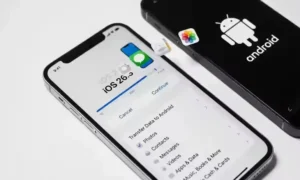
One of the most talked-about additions in iOS 26.3 is a built-in migration tool designed to make transferring data from an iPhone to an Android device easier and faster.
Previously, users often relied on third-party apps or manual processes to move files between operating systems. With the new update, Apple has integrated the transfer option directly into the device setup process.
The feature allows users to place their iPhone near an Android phone to begin a wireless data transfer without needing additional applications.
Supported data transfers include:
-
Photos and videos
-
Messages
-
Contacts and phone numbers
-
Notes
-
Passwords
-
Installed apps and device settings
The update significantly reduces the complexity of switching ecosystems, a factor that has historically discouraged users from moving away from iPhones.
Interestingly, similar functionality already exists on Android through Google’s Quick Share system, particularly on Pixel devices, highlighting growing interoperability between competing platforms.
Expanded Notification Support for Third-Party Wearables
iOS 26.3 also introduces improved compatibility with non-Apple wearable devices by enabling notification forwarding beyond the Apple Watch.
With the new feature:
-
Notifications can be viewed on supported third-party smartwatches
-
Settings can be managed directly from the iPhone
-
Users gain more flexibility when using non-Apple accessories
However, Apple noted a limitation — notifications can only be forwarded to one wearable device at a time. Activating the feature for a third-party smartwatch may disable notifications on an Apple Watch.
The enhancement is partly linked to regulatory requirements in Europe but signals Apple’s gradual shift toward broader ecosystem compatibility.
Security and Performance Improvements
Beyond visible features, iOS 26.3 includes several background upgrades aimed at improving device stability and protecting user data. These include bug fixes, system optimisation, and security patches designed to address vulnerabilities.
Apple continues to recommend installing updates promptly to maintain device security and performance.
Supported Devices
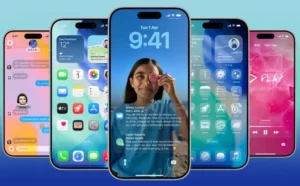
iOS 26.3 is available on iPhones that support iOS 26, including:
-
iPhone 17 series
-
iPhone 16 series
-
iPhone 15 series
-
iPhone 14 series
-
iPhone 13 series
-
iPhone 12 series
-
iPhone 11 series
Older models such as the iPhone XS, XS Max, and XR are not compatible with iOS 26 and later versions.
Why the Update Matters
The introduction of an easier Android migration process represents a subtle but significant shift in Apple’s approach to its ecosystem. For years, switching platforms was considered complicated and time-consuming. By simplifying the process, Apple appears to be responding to user expectations and regulatory pressure for greater device interoperability.
For users considering a move to Android, using third-party wearables, or seeking improved performance and security, updating to iOS 26.3 may offer tangible benefits.